Run any agent
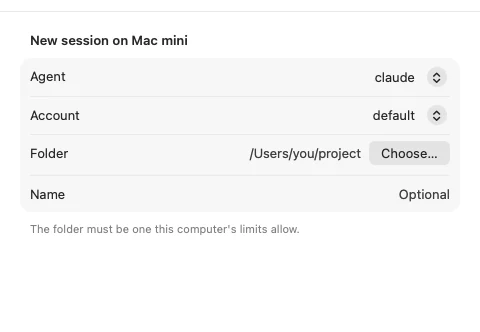
Start, steer, interrupt or close Claude Code, Codex, Grok, Antigravity, Hermes, OpenCode, Pi or a plain shell, and add any other with one description file.
Learn moreTandem lets you and your AI agents see, start, message and control every agent session on all your computers, from claude.ai, the menu bar or the web.
 Claude Code
 Codex
Grok
Antigravity
Hermes
 OpenCode
 Pi
Shell
Your agents should work together, not wait for you.
Most setups make you juggle terminals, tmux, Tailscale and tabs.
Tandem gives every agent one place to run, talk and remember, on every computer you own.
Claude CodeCodexOpenCodePiStart, steer and approve any agent on any computer you own, from claude.ai, a menu bar icon or the web. Nothing types into a working session, and nothing is lost when one ends.
Start, steer, interrupt or close Claude Code, Codex, Grok, Antigravity, Hermes, OpenCode, Pi or a plain shell, and add any other with one description file.
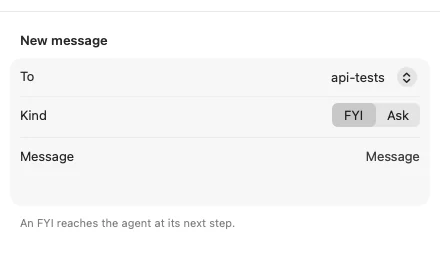
Learn moreMailboxes deliver at the agent's next tool call or when it is idle, so nothing types into a working session.
Learn moreEvery computer connects out on normal web ports, so it works behind any router or office firewall.
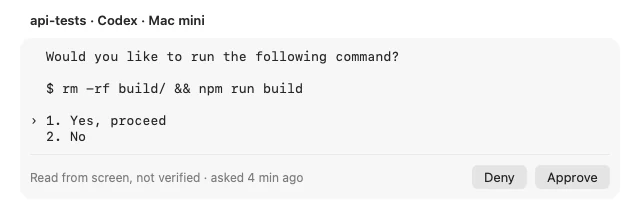
Learn moreClick a session to watch it live. Approve or deny supported requests from the Tandem app on that computer.
Learn moreAny agent or MCP client can save, search, read and forget memories, from any computer, with no storage cap.
Learn moreEvery session stays searchable by word, and the new session confirms before the old one closes.
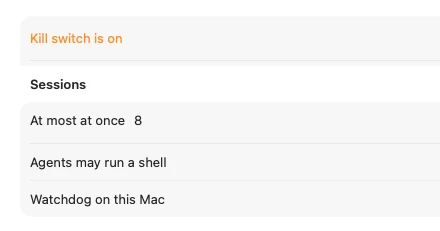
Learn moreOne switch stops every agent, and each computer caps how many sessions agents can start.
Learn moreMac, Linux and Windows. Each step is a click or a short code, and nothing else needs installing.
One command on any Mac, Linux box, VPS or cloud machine installs everything. Nothing else to install.
Each computer joins your account, approved from a device you already own with a matching code.
claude.ai in the browser, Claude Desktop or any other MCP client starts and drives sessions on any of your computers.
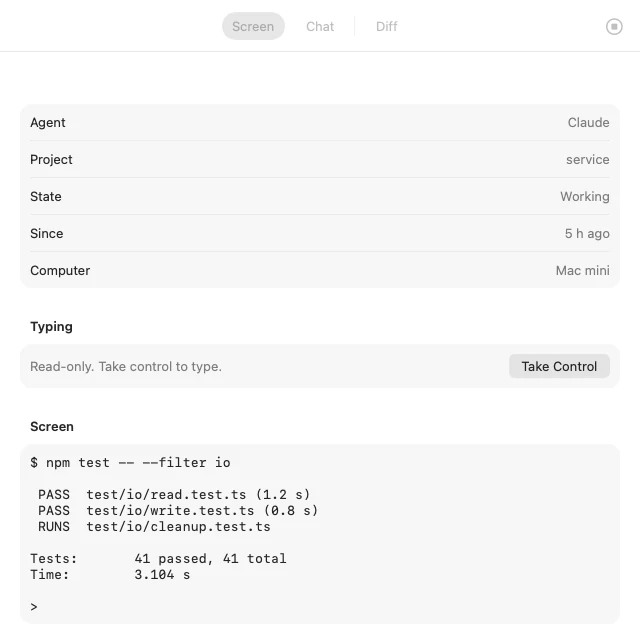
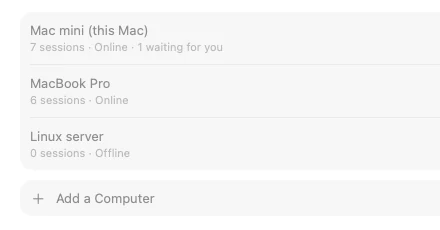
See every computer, account and session from the menu bar or the web, watch any session live and approve requests in one click.
Everything one person needs on their own computers is in the public repo, free to self-host. Teams pay per seat.
The public Tandem repo holds everything one person needs on their own computers, and it is free to self-host.
Adding an agent needs no code. Each agent is one description file.
Run the Tandem server on any small server you own.
Organizations get admins, members and seats. Paid features unlock on self-hosted servers with a license key.
Updates are checked before they install, and a tampered one is refused. Each computer sets limits the server cannot widen.
Tandem never reads or copies login tokens. It only checks whether you are signed in.
Everything one person needs is free and open source. Teams get a closed-source, paid edition on top of it.
The public Tandem repo on GitHub. Self-host it, read it, change it.
For organizations. Tandem Cloud is available now. If a license lapses, removing members, the audit log and every free feature keep working.
Coming for larger teams
Talk to us about larger teams.
Most agent setups are a pile of terminals, a VPN and copy and paste. Here is what changes when every agent shares one layer.

Mac, Linux and Windows. Your own server, or none at all when you run one computer.
One more joins the computer to your account, approved from a device you already own. Nothing else to install.
The app on a Mac; one line in a terminal on Linux and Windows.
Computers connect out on normal web ports and reconnect by themselves. No VPN driver, no Tailscale.
Each agent is one description file, so adding another needs no code.
Every agent terminal stays alive in the background, even when the app is closed, and opens instantly with the current screen.
Mac: download the app. Linux, VPS and cloud machines: the first line, in a terminal. Windows: the second line, in PowerShell.
Requires macOS 26 (Tahoe) or later.
curl -fsSL https://tandem.efreedom.com/install.sh | sh
irm https://tandem.efreedom.com/install.ps1 | iex
Yes. The public Tandem repo is Apache 2.0 and holds everything one person needs on their own computers, free to self-host.
Claude Code, Codex, Grok, Antigravity, Hermes, OpenCode, Pi, any other CLI agent, or a plain shell. Each agent is one description file, so adding one needs no code.
No. Every computer connects out on normal web ports to a small Tandem server that passes traffic. It works behind any router or office firewall and needs no VPN driver.
Login is passkey first, and a new computer or MCP client must be approved on a device you already own. Each computer sets its own limits that the server cannot widen, tray and web traffic is encrypted end to end, releases are signed, and one switch stops every agent.
Yes. Run the Tandem server on any small server you own. One computer on its own needs no server at all. A hosted Tandem server is the paid option later.
Teams pay per seat. Organizations get admins and members, paid on hosted and self-hosted servers alike, with paid features unlocked by a license key.
 Claude CodeCodexOpenCodePi